
Biomechanical Droid Free1.0.2 - Get APK
You'll be able to download in few seconds.
Publisher Description
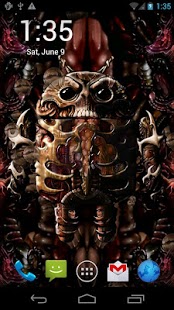
Live Wallpaper featuring a Biomechanical Droid with animated features, bubbles, scrolling designs and interactive touch effects. Interactive bubbles float by as the droid activates and tracks your finger movements, and occasionally expresses itself.
This version has one color, and is fully functional. A CPU/Battery saving setting is included. Also works well on Tablet devices, implemented with OpenGL for efficiency.
Check out the FULL version for more options:
- 6 Color Themes: Flesh, Swamp Green, Cyan, Vampiric Red, Blue, Purple
- Control the background scroller speeds and direction, and touch effects
- Control bubble quantity, speed, droid expression frequency, etc
- Optional Gestures: double tap to cycle backgrounds
For fans of biomechanical art, science fiction, horror, technology, droids, and our other biomechanics, steampunk, droid and skull wallpapers.
None of our wallpapers require any permissions.
A collaboration featuring the artwork of artist Cat Spencer.
Portions of this work are modifications based on work created and shared by Google (http://www.android.com/developers/branding.html) and used according to terms described in the Creative Commons 3.0 Attribution License (http://creativecommons.org/licenses/by/3.0/).
About Biomechanical Droid Free
The company that develops Biomechanical Droid Free is Adam Ratana. The latest version released by its developer is 1.0.2.
To install Biomechanical Droid Free on your Android device, just click the green Continue To App button above to start the installation process. The app is listed on our website since 2014-01-11 and was downloaded 0 times. We have already checked if the download link is safe, however for your own protection we recommend that you scan the downloaded app with your antivirus. Your antivirus may detect the Biomechanical Droid Free as malware as malware if the download link to com.ratana.jazzcat.biomechanicaldroidfree is broken.
How to install Biomechanical Droid Free on your Android device:
- Click on the Continue To App button on our website. This will redirect you to Google Play.
- Once the Biomechanical Droid Free is shown in the Google Play listing of your Android device, you can start its download and installation. Tap on the Install button located below the search bar and to the right of the app icon.
- A pop-up window with the permissions required by Biomechanical Droid Free will be shown. Click on Accept to continue the process.
- Biomechanical Droid Free will be downloaded onto your device, displaying a progress. Once the download completes, the installation will start and you'll get a notification after the installation is finished.
Program Details
System requirements
Download information
Pricing
Version History
version 1.0.2
posted on 2014-01-11
- added links to popular titles - check out our new Steampunk Skull Clock and Steampunk Droid Fear Foundry!
version 1.0.1
posted on 2012-08-06
Several fixes and updates
Disclaimer
External Download
We do not host Biomechanical Droid Free on our servers. We did not scan it for viruses, adware, spyware or other type of malware. This app is hosted by Galad and passed their terms and conditions to be listed there. We recommend caution when installing it.
The APK Download link for Biomechanical Droid Free is provided to you by apps112.com without any warranties, representations or guarantees of any kind, so access it at your own risk.
If you have questions regarding this particular app contact the publisher directly. For questions about the functionalities of apps112.com contact us.
